









TRUE NORTH ADVANCEMENT
Making sure you get more out of your Slate instance to maximize donor and alumni engagement, and beyond.

TRUE NORTH ENROLLMENT
Making sure you get more out of Slate across Admissions, Student Success, or wherever else the journey leads.
How We Source Our Insights
Every tip starts with a real scenario we’ve encountered in Slate. From time-saving tricks to “wait, that actually worked” moments, we’re diligent about capturing it, analyzing it, and breaking it down so you can put our insights into action immediately.

EXAMPLE INSIGHTS
Here’s the method we recommend:
📥 Import current branding files.
✏️ Make the edits you need.
🔎 Preview as a real record inside the Branding Editor.
🌎 When you’re ready for the world, hit publish.
Fewer handoffs = fewer chances to misplace something.
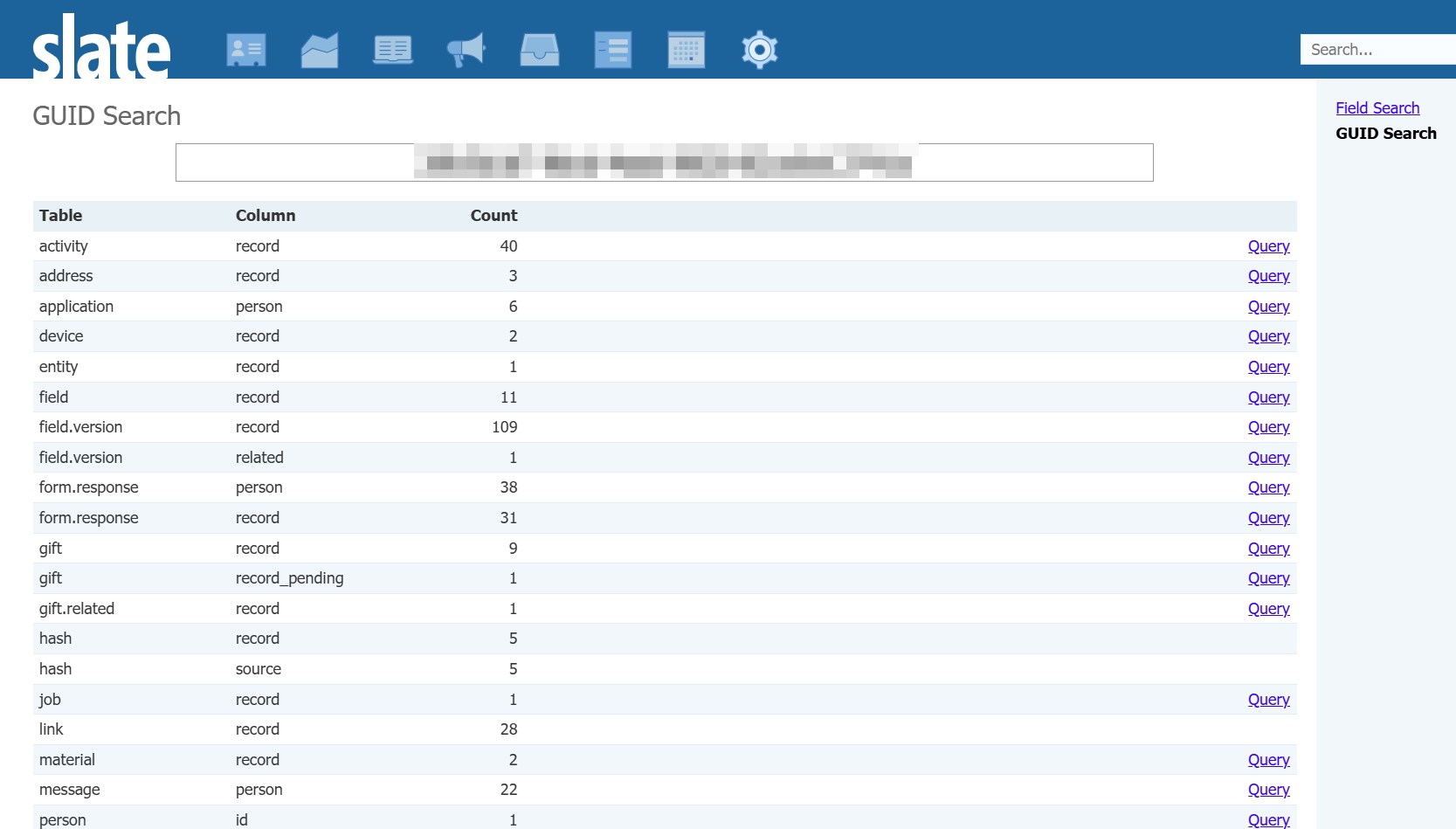
Why it’s useful: This is helpful when you’re trying to figure out what something really is (for example, “Oh, it’s not the person page form, it’s the tab it’s displayed on”) or when you want to see everything someone has touched (like, “Ah, this user GUID shows up on a lot of field updates”).
Here’s a quick way to check:
📱 Open a live Slate form on your phone.
👀 Does it look like your institution?
⚙️ If not, go to: Database → Configuration Keys → Branding, Privacy, & Ping → Mobile Template. Select /shared/build.xslt and save. That’s it!
Give it about 15 minutes for the change to take effect, then test on mobile. This is one of the simplest, highest-impact branding fixes you can make in Slate.
Save it as a Snippet instead:
➕ Head to Database > Slate AI Snippets and create a new snippet with your proven prompt.
🗺️ Set a relative URL path so it only appears where you need it (e.g. “/manage/query” will limit the snippet to being used on the query screens).
⌛ Refine the snippet over time instead of starting from zero.
Those tiny edits compound. A slightly better snippet today means faster, stronger outputs every time you use it tomorrow.

As teams mature in Slate, most move away from birthdate-driven logic in favor of clearer, student-owned data points like entry term or graduation year. Systems (and people) behave better when key groups are defined by intentional, stable fields rather than inferred ones.
✉️ Mind Your Solicitation Codes: Ensure that donor preferences (do not contact, do not solicit) are respected in emails and transactional messaging.
? Respect Message Groups: Set up Message Groups to classify the types of communications you’re sending (e.g., Event Invitations, Campus Updates, Solicitation), and make sure every Deliver message is assigned to the appropriate Message Group.
? Check Seasonal Addresses: Collect start and end dates for donor addresses, and give donors the option to provide seasonal addresses so print communications arrive at the right mailbox throughout the year.

That’s the opportunity we have with Slate: its flexibility means we can replace painful processes with smoother ones. And when that happens, adoption isn’t a fight, it’s a relief.
If you’re building an internal update form, you can pass address values through the query string so the form opens with the correct data entered. This is especially helpful when updating a custom address type that the “person” parameter won’t automatically fill in.
You can add parameters like:
1️⃣ &sys:address_block_country=US
2️⃣ &sys:address_block_street=123%20Main%20St
3️⃣ &sys:address_block_city=Burlington
4️⃣ &sys:address_block_region=VT
5️⃣ &sys:address_block_postal=05401
If you’re editing an existing address, include the address GUID so Slate knows exactly which record to update (&sys:address:id=[guid]).

Before a large send, check the segment estimate under the message field. If you’re near a threshold, tighten the copy or remove emojis. Small edits can cut your cost significantly.
Slate can show you exactly where the drag is:
1️⃣ Go to Database > Rules > Check Rules
2️⃣ Sort by Duration and look for anything in red (30+ seconds) or showing ERR counts
3️⃣ Pick one rule and tighten it up. Use exclusivity groups, refine filters, or rethink trigger logic to reduce overlap
You probably don’t need a full rules overhaul. Making small improvements each time you visit this screen keeps your database healthier over time.
YOU HEARD IT HERE FIRST
"I believe good technology makes higher ed work better, and that a deep understanding of how higher ed operates (and what’s at stake) leads to better technology."

"A successful Slate implementation isn’t about trying to do everything at once. It’s about moving thoughtfully, one office, one process, and one milestone at a time to ensure a high-quality result."

“When data is misunderstood or poorly structured, it leads to flawed insights and bad decisions. Understanding your data and using configurable joins ensures accurate reporting and stronger processes.”

TRUE NORTH ADVANCEMENT
Making sure you get more out of your Slate instance to maximize donor and alumni engagement, and beyond.
TRUE NORTH ENROLLMENT
Making sure you get more out of Slate across Admissions, Student Success, or wherever else the journey leads.